How to Share a Funeral Webcast Link
A guide to help you share the link for a funeral webcast with loved ones.

How to Share a Funeral Webcast Link
In today’s digital age, webcasting a funeral service has become an invaluable tool for families wishing to include those who cannot be physically present. Whether it’s due to distance, health concerns, or other commitments, a webcast allows everyone to participate in saying goodbye to their loved one. Here’s a step-by-step guide on how to share a funeral webcast link effectively.
1. Understanding the Webcasting Service
Webcasting a funeral service involves streaming the event live over the internet. At Tobin Brothers Funerals, we offer a seamless webcasting service to ensure that everyone can witness the ceremony in real-time or watch it later at their convenience. This service is particularly beneficial for family members and friends who are overseas or unable to attend due to health or travel restrictions.
2. Receiving the Webcast Link
Once you have arranged for the funeral webcast, our team will provide you with a unique link to the live stream. This link is typically sent to the primary contact via email. If you have not received the link within 24 hours of your arrangement or need any assistance at all, our staff is available 24/7 to help.
3. Preparing to Share the Link
Before sharing the link, it’s important to decide how you want to distribute it. Here are a few considerations:
- Privacy: Ensure that the webcast link is shared with intended participants only. This might mean sending it directly to family and friends rather than posting it on social media.
- Communication Method: Decide whether to share the link via email, text message, social media direct messages, or another platform. Consider the preferences and tech-savviness of your recipients.
- Delegation: Arranging a funeral is a monumental task in and of itself, even before webcasting is thrown into the mix. Do you have a tech-savvy friend or family member who can be in charge of sharing the link, coordinating friends and family, and troubleshooting issues for them if they have any?
4. Crafting the Message
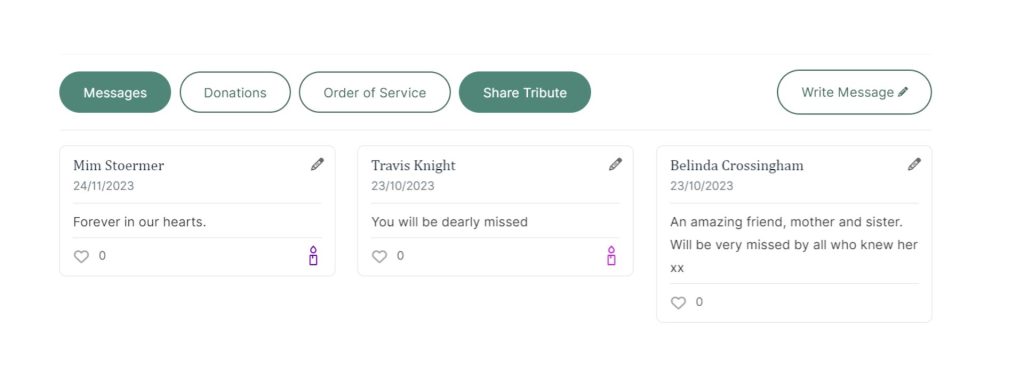
When sharing the webcast link, it’s helpful to include a thoughtful message. Here’s a template you can use:
Subject: Funeral Webcast Link for [Deceased’s Name]
Dear [Recipient’s Name],
We hope this message finds you well. In honour of [Deceased’s Name], we have arranged for a webcast of the funeral service to allow those who cannot be with us in person to participate.
The service will take place on [Date] at [Time]. You can join us through the following link: [Webcast Link]
If you have any questions or need assistance accessing the webcast, please feel free to contact [Nominated Person] on [Phone Number]. Your presence, even virtually, means a lot to us during this time.
Warm regards,
[Your Name]

5. Outsourcing Support
Keep in mind that not everyone is likely to be familiar with how to access a webcast. If you are sharing a funeral webcast with loved ones and feel you may not have the emotional capacity or the technical understanding to assist them with support, it may be beneficial to enlist the help of a family member or friend who can manage this side of things for you.
We often find that younger generations can be exceptionally helpful when it comes to computers and online endeavours, so it could be wise to seek out younger family and friends to manage this side of things.
Here’s a few other things you can do to make things run more smoothly.
- Instructions: Include simple, step-by-step instructions on how to join the webcast. You can share our Webcasting page with them or download the Webcasting Brochure to attach to an email to assist them in accessing the link.
- Technical Help: Offer to assist those who might face technical difficulties. This could involve setting up a time to walk them through the process over the phone.
6. Follow Up
After the service, consider sending a follow-up message. This could be a note of thanks for their participation or providing a link to a recorded version of the service if available. This gesture shows appreciation and keeps everyone connected.
Template for Follow-Up Message:
Subject: Thank You for Joining [Deceased’s Name]’s Funeral Service
Dear [Recipient’s Name],
Thank you for joining us virtually for [Deceased’s Name]’s funeral service. Your presence meant a great deal to us during this difficult time.
If you were unable to join live or would like to view the service again, you can access the recording here: [Recording Link]
We appreciate your support and love.
Warm regards,
[Your Name]
What does a Funeral Webcast look like?
To find out what a funeral webcast might look like, Tobin Brothers Funerals very own Paul Hooper demonstrates this for us in the video below.
Additional Tips
7. Additional Tips
- Timing: Share the link well in advance to give everyone ample time to prepare.
- Reminder: Send a reminder message a day or two before the service.
- Security: Ensure the webcast link is secure and only accessible to those you have shared it with.
Webcasting a funeral service bridges the gap for those who cannot be physically present, allowing them to participate in the celebration of life from afar. By following these steps, you can ensure that the process of sharing the webcast link is smooth and considerate, honouring your loved one in the best possible way.


Tobin Brothers Funerals
Celebrating Lives Since 1934